

Confirm Studio is talking to the engine
Confirm the visual editor is connected to Hydra's backend and know which evidence belongs to the API rather than the browser.
1. Objective
Goal
Read the top-bar status produced by the health query, verify /api/health, and identify the difference between API online, API offline, and the temporary ellipsis shown while the query is unresolved.
Why this matters
Studio is a React client; project lists, workflow files, runs, node metadata, and filesystem pickers come from the FastAPI backend. A working Vite page with an offline API can still render navigation while every data operation fails.
Keep one cumulative Studio project named studio-course, one manual workflow named first-workflow, and one job named first-job. Each lesson builds on the state saved by the previous one.
Prerequisites
- Hydra API started with
hdrctl serve. - Studio started from
Hydra/studiowithnpm run dev. - The preceding lesson completed before continuing.
2. Steps
01Read the top-bar indicator
Objective
Use the status label generated by the real health query.
Actions
- Keep Studio open.
- Look at the right side of the top bar.
- Wait until the temporary ellipsis resolves.
Top bar → API status
A successful health query renders the green online label; a rejected query renders the offline label. The two states differ by more than a word — compare what the page still holds in each case.
…
API online
API offline
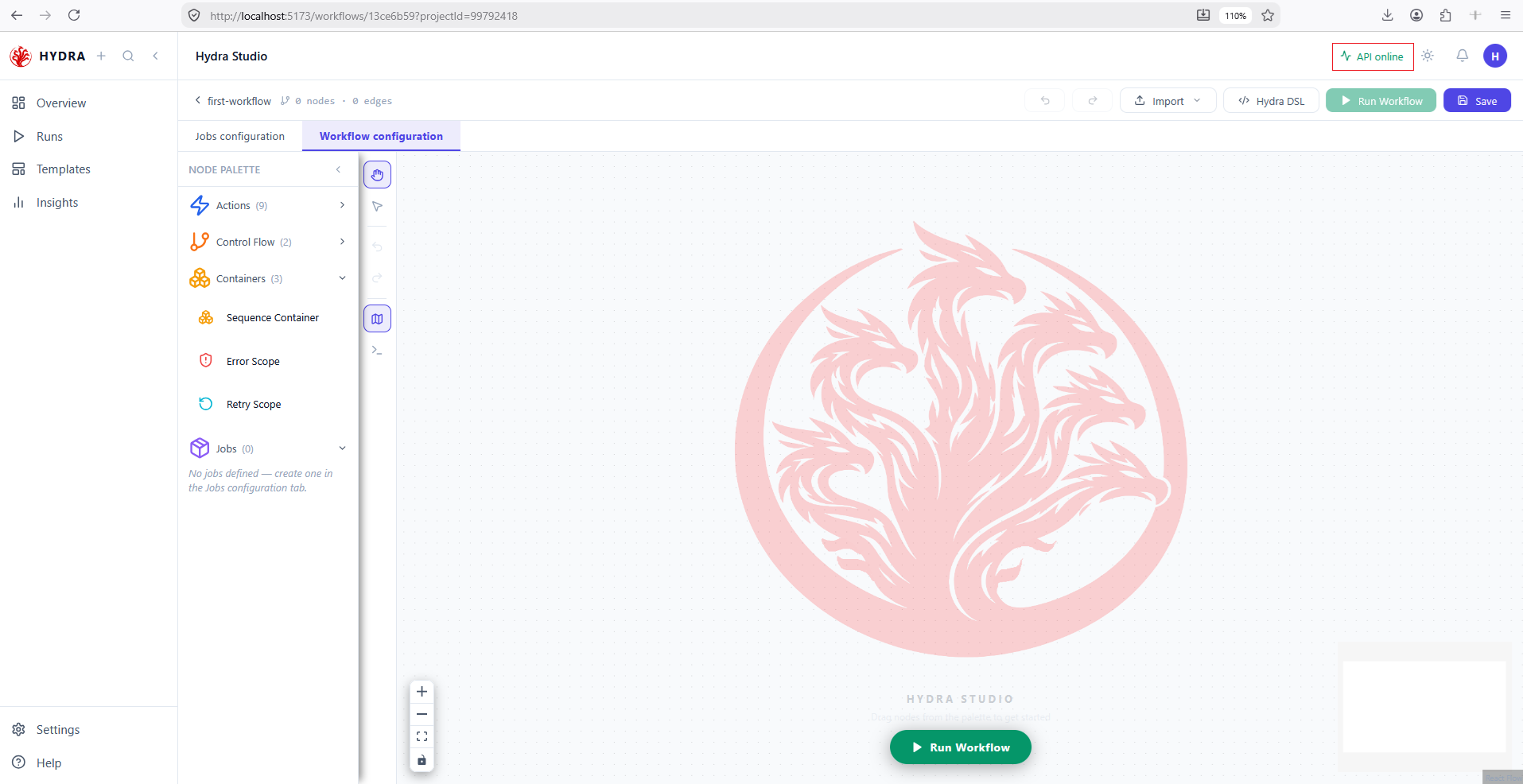
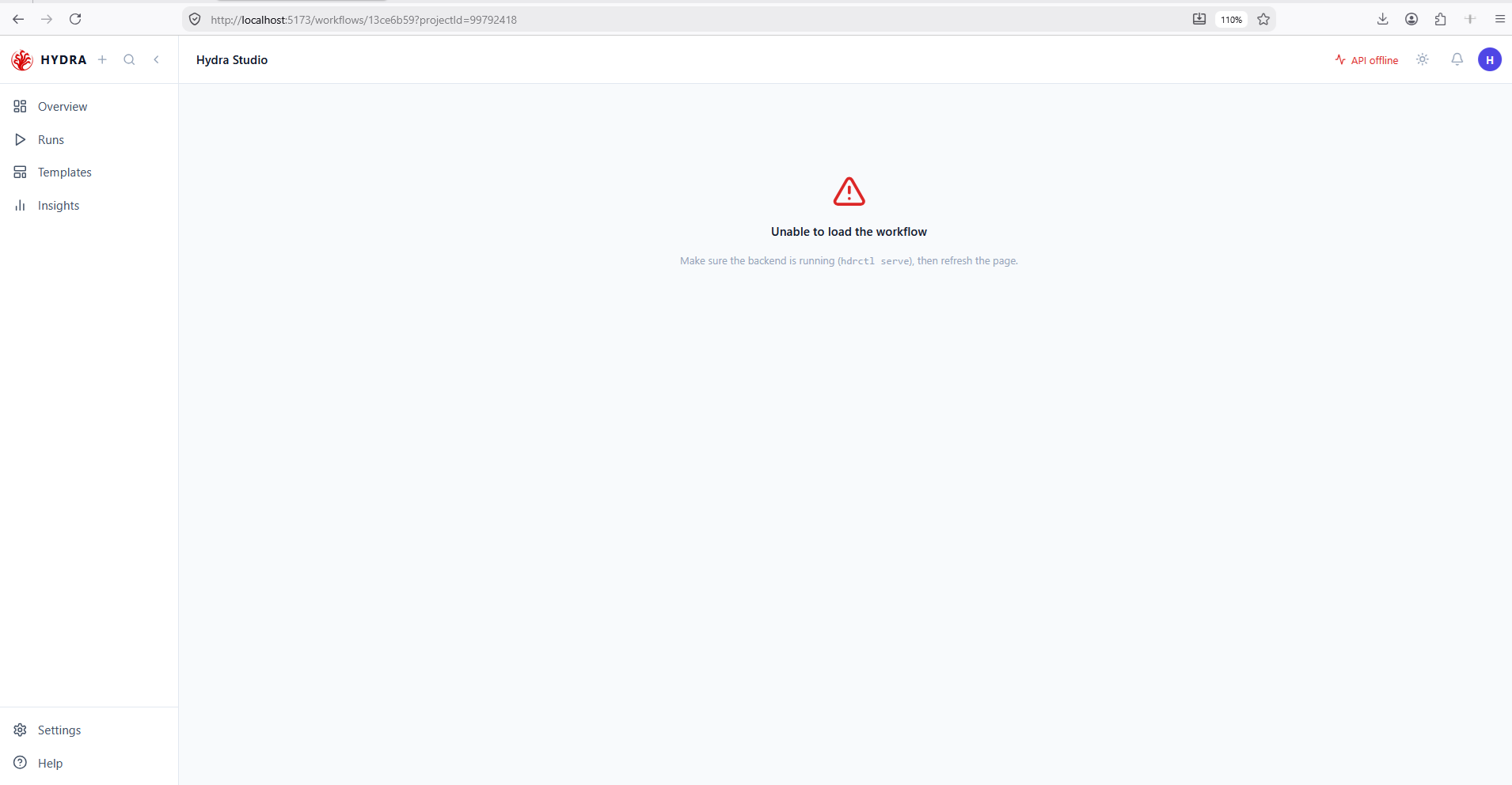
Note what survives the outage: the sidebar, the routes and the top bar are served by Vite, so they keep working. Everything that needs data — the canvas, the project list, the runs — does not. A page that renders is not a page that is connected.
02Verify health directly
Objective
Prove the application responds independently of the Studio component tree.
Actions
- Open a second terminal.
- Pick the command for your shell and request the proxied health route while both processes are running.
- Read the response body.
The same route, three interpreters. Port 5173 goes through the Vite proxy, which is what Studio itself uses; port 5678 reaches the backend directly. Testing 5173 first is the more useful check, because it exercises the proxy as well as the API.
Windows Command Prompt
curl http://localhost:5173/api/health
{"message":"Hydra ETL API is running"}
curl.exe ships with Windows 10 and later. Only the body is printed; add -i to see the status line.
Windows PowerShell
Invoke-WebRequest -UseBasicParsing http://localhost:5173/api/health
StatusCode : 200
Content    : {"message":"Hydra ETL API is running"}
In PowerShell, curl is an alias of this cmdlet, so it does not behave like the Unix tool. Call curl.exe explicitly if you want the Unix behaviour.
Linux · macOS bash
curl -s http://localhost:5173/api/health
{"message":"Hydra ETL API is running"}
-s hides the progress meter. Use curl -i to print the headers, or pipe into jq to format the JSON.
Whichever shell you used, Vite proxies the request to the backend and Hydra returns its running message. An HTTP 200 with that body is the proof; the green label in the top bar is only its rendering.
{"message":"Hydra ETL API is running"}03Relate the two processes
Objective
Keep frontend and backend responsibilities distinct.
Actions
- Confirm Vite is serving Studio on port 5173.
- Confirm hdrctl serve is listening on port 5678.
- Leave both terminals running for the track.
hdrctl serve
cd studio
npm run dev
The README-defined development arrangement is one API process plus one Vite process.
Hydra API running at http://127.0.0.1:5678
Local: http://localhost:5173/
04Return to project data
Objective
Confirm the online state supports an API-backed page query.
Actions
- Select Overview.
- Open studio-course.
- Verify the detail page loads instead of displaying a request error.
API online → Overview → studio-course
The indexed project detail is available through the backend.
Overview / studio-course
New workflow
Import workflow
Tips and traps
Sources and transformations live in Jobs configuration. Jobs and actions live in Workflow configuration.
A container never runs. Five nodes on screen can mean four steps in the YAML.
An edge leaves a right handle and enters a left handle. Direction is never ambiguous.
The Valid badge means the manifest parses. Only a run proves the job works.
A policy reaches only what sits inside the container. A node beside it gets nothing.
Studio can be ahead of the disk. Open the file to be sure.
Counts and durations are live values. Never quote them as thresholds.
An animation is not an outcome. Wait for a terminal state on the Runs page.
3. Checklist
| Verification | Expected result |
|---|---|
| Top bar | Shows API online |
| Health route | Returns HTTP 200 |
| Frontend | Served by Vite on 5173 |
| Project query | Loads studio-course detail |
4. Troubleshooting
| Symptom | Cause | Fix |
|---|---|---|
| API offline | The backend process is absent or unreachable | Start hdrctl serve from the Hydra environment |
| Studio does not load | The Vite process is absent | Run npm run dev from Hydra/studio |
| Direct port 5678 works but proxy fails | Vite proxy or frontend process is unavailable | Restart Vite and keep VITE_API_URL empty in development |
curl prints an object, not JSON | In PowerShell curl is an alias of Invoke-WebRequest | Call curl.exe explicitly, or read the Content field |
| The page renders but no data appears | Vite serves the shell; only the data needs the API | Read the top-bar indicator before suspecting the browser |
5. Next lesson
Studio and the backend now agree on the workspace, and you can tell a rendering problem from a connection one. The next lesson returns to the editor opened in lesson 1 and reads the two canvas scenes, the node and edge counts, the ports and their direction.