

Create a project and its first workflow
Create the cumulative workspace, add first-workflow to it, choose how that workflow is triggered, and open it on an empty canvas.
1. Objective
Goal
Create studio-course from the real New project dialog, add a workflow named first-workflow to it, and open that workflow in the editor. Read the project name, disk path and workflow count without confusing those summaries with validation.
Why this matters
A project is a folder on disk; a workflow is a file inside it. Studio never runs a project — it runs a workflow. Creating both in the same sitting makes that hierarchy concrete, and the trigger you pick here is the one written into workflow.yaml.
Keep one cumulative Studio project named studio-course, one manual workflow named first-workflow, and one job named first-job. Each lesson builds on the state saved by the previous one.
Prerequisites
- Hydra API started with
hdrctl serve. - Studio started from
Hydra/studiowithnpm run dev. - Nothing from an earlier lesson — this one opens the course.
2. Steps
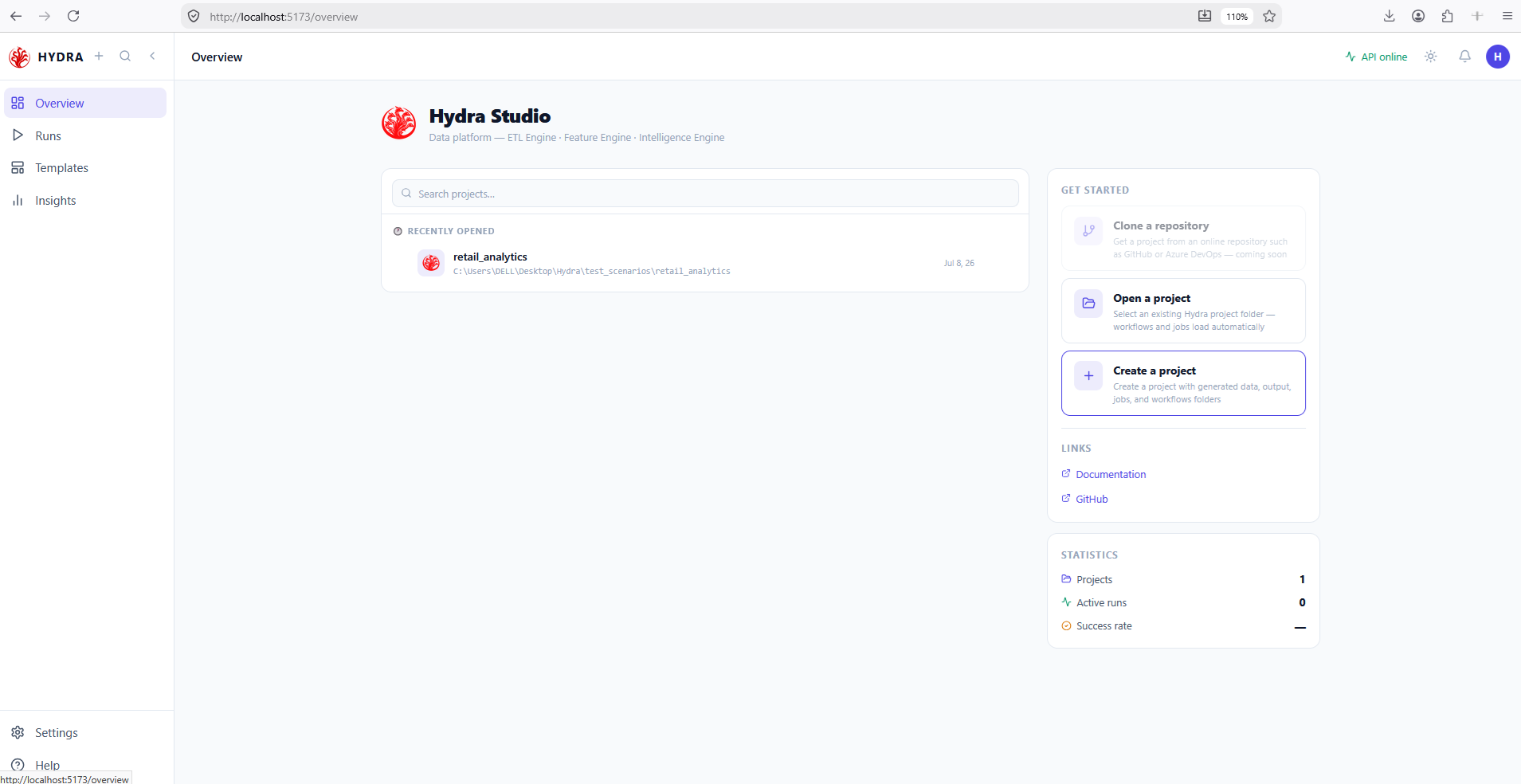
01Open the start page
Objective
Reach the page that lists projects and exposes the supported workspace actions.
Actions
- Open http://localhost:5173.
- Select Overview in the sidebar if another page is active.
- Find the Get started card on the right.
Studio → Overview
The page identifies Hydra Studio and shows the three start actions. Clone a repository is dimmed: it is announced, not implemented.
Hydra Studio
Get started
Clone a repository
Open a project
Create a project
02Create the cumulative project
Objective
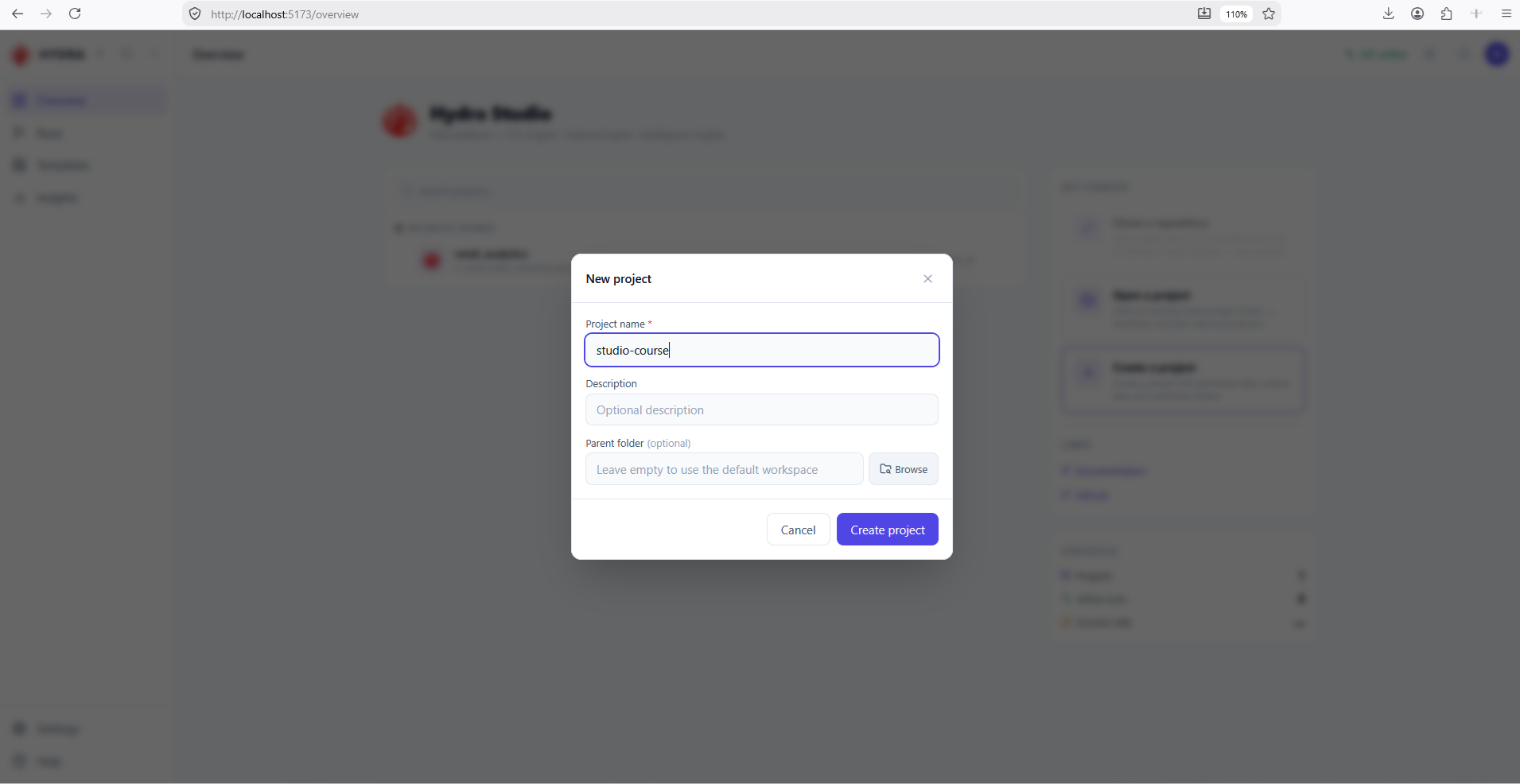
Generate a Studio project with the standard data, output, jobs and workflows structure.
Actions
- Select Create a project.
- Enter
studio-coursein Project name. - Leave Parent folder empty to use the default workspace, then select Create project.
Create a project → Project name: studio-course → Create project
Only the name is required. An empty parent folder puts the project under the default workspace.
New project
Project name *
Description
Parent folder (optional)
Create project
03Find the project in the list
Objective
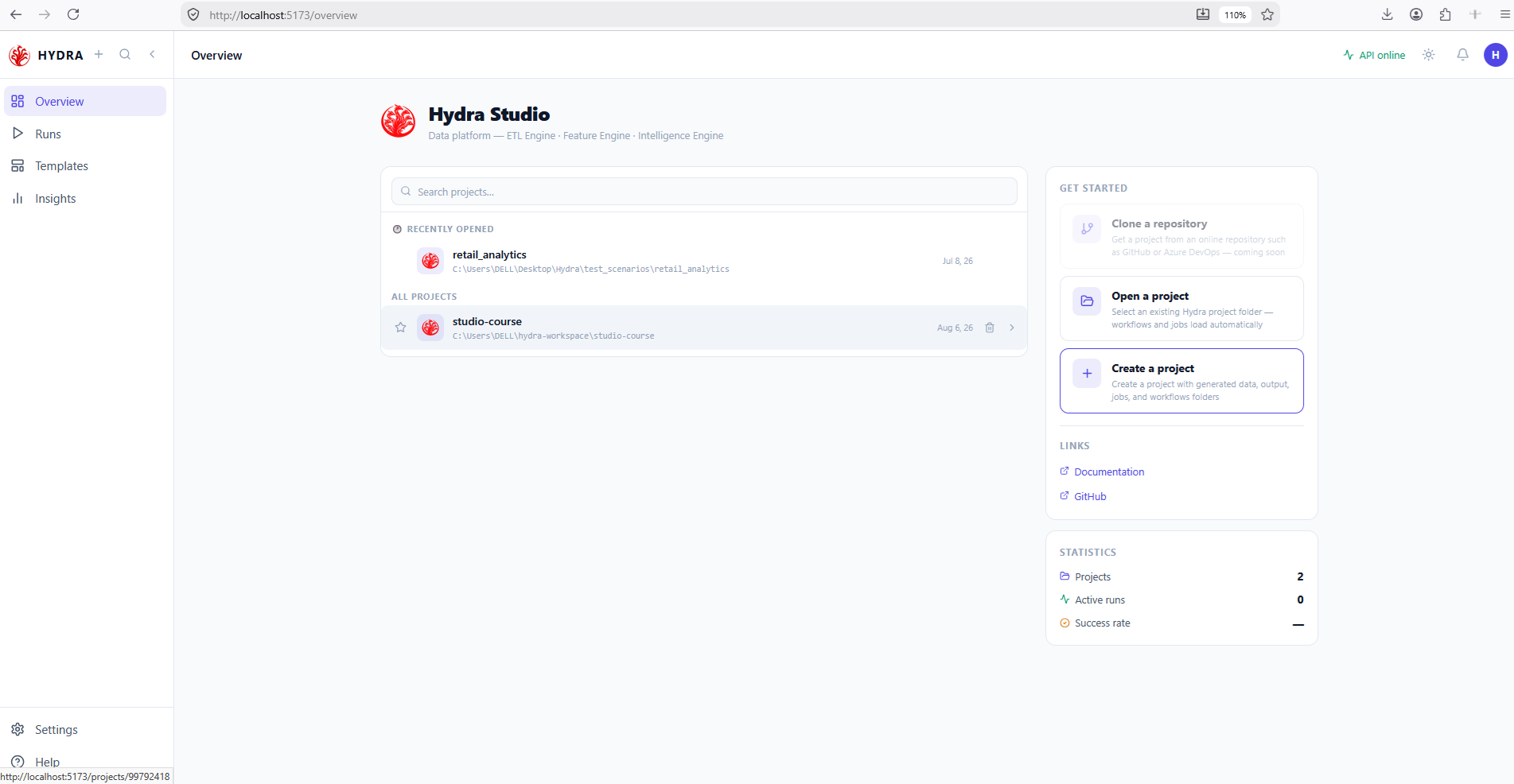
Use the indexed project row instead of creating a second workspace.
Actions
- Look under All projects on the Overview.
- Read the disk path printed under the project name.
- Select the studio-course row.
Overview → All projects → studio-course
The project is listed with its path on disk, and the Projects statistic has gone up by one.
ALL PROJECTS
studio-course
<workspace>\studio-course
Projects  2
04Read the empty project
Objective
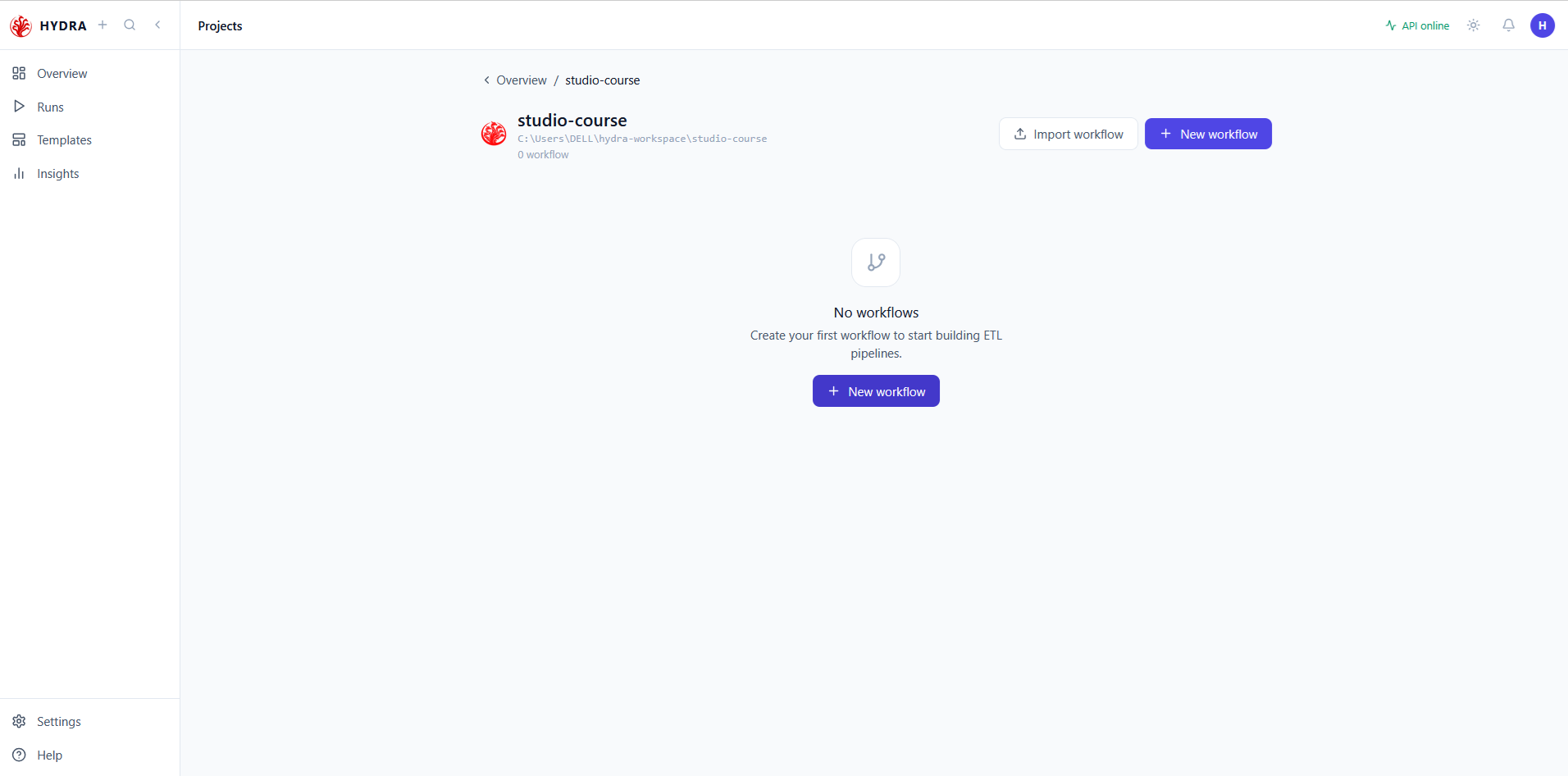
Recognize what a project holds before anything has been designed in it.
Actions
- Read the breadcrumb, the project name and its path.
- Read the workflow count under the path.
- Note the two ways in: Import workflow and New workflow.
Overview / studio-course
A project with no workflow is not an error state — it is the normal starting point. Nothing here can be run yet.
Overview / studio-course
<project path>
0 workflow
No workflows
workflow.yaml; New workflow writes a fresh one.05Create the first workflow
Objective
Add a workflow to the project and choose what will start it.
Actions
- Select New workflow.
- Enter
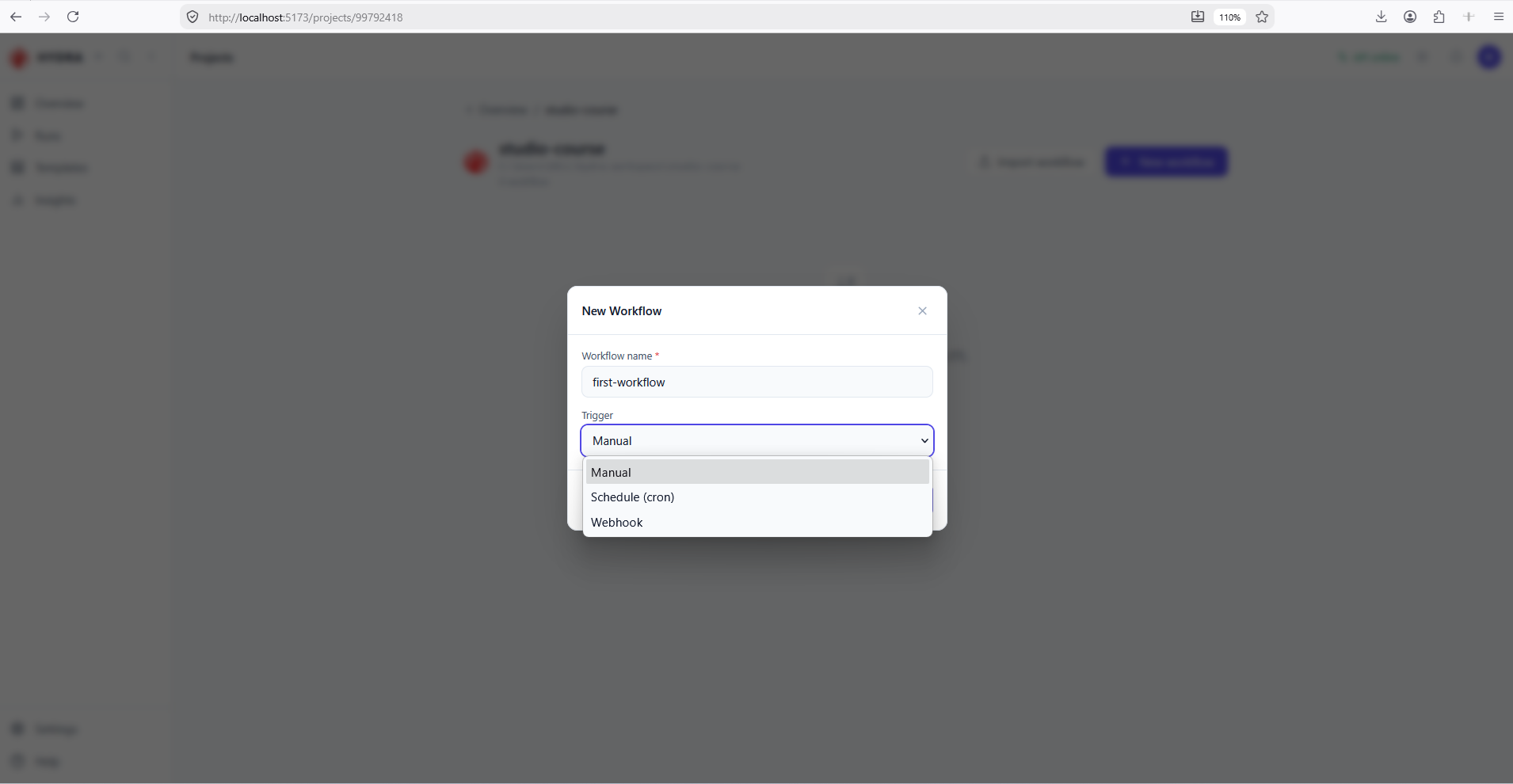
first-workflowin Workflow name. - Open the Trigger list, keep Manual, then confirm.
New workflow → Workflow name: first-workflow → Trigger: Manual
The Trigger list holds three modes, and the one you pick becomes trigger.type in workflow.yaml. The choice is not final — the workflow card lets you change it later.
| Trigger | What starts the run | When to use it |
|---|---|---|
| Manual | You do, from Studio or with hdrctl workflow run. | While designing. The only mode that needs no extra configuration, and the right one for this course. |
| Schedule (cron) | A cron expression, evaluated by the scheduler. | Recurring loads — a nightly extract, a quarter-hourly sync. Requires a cron value; without it the workflow will not validate. |
| Webhook | An incoming HTTP call to the API. | Runs driven by an external system: a file landing, a job finishing elsewhere. Requires the API to be reachable by that caller. |
The name is required; the trigger defaults to Manual.
New Workflow
Workflow name *
Trigger
Manual
Schedule (cron)
Webhook
06Read the workflow card
Objective
Separate what the card states about the file from what it states about execution.
Actions
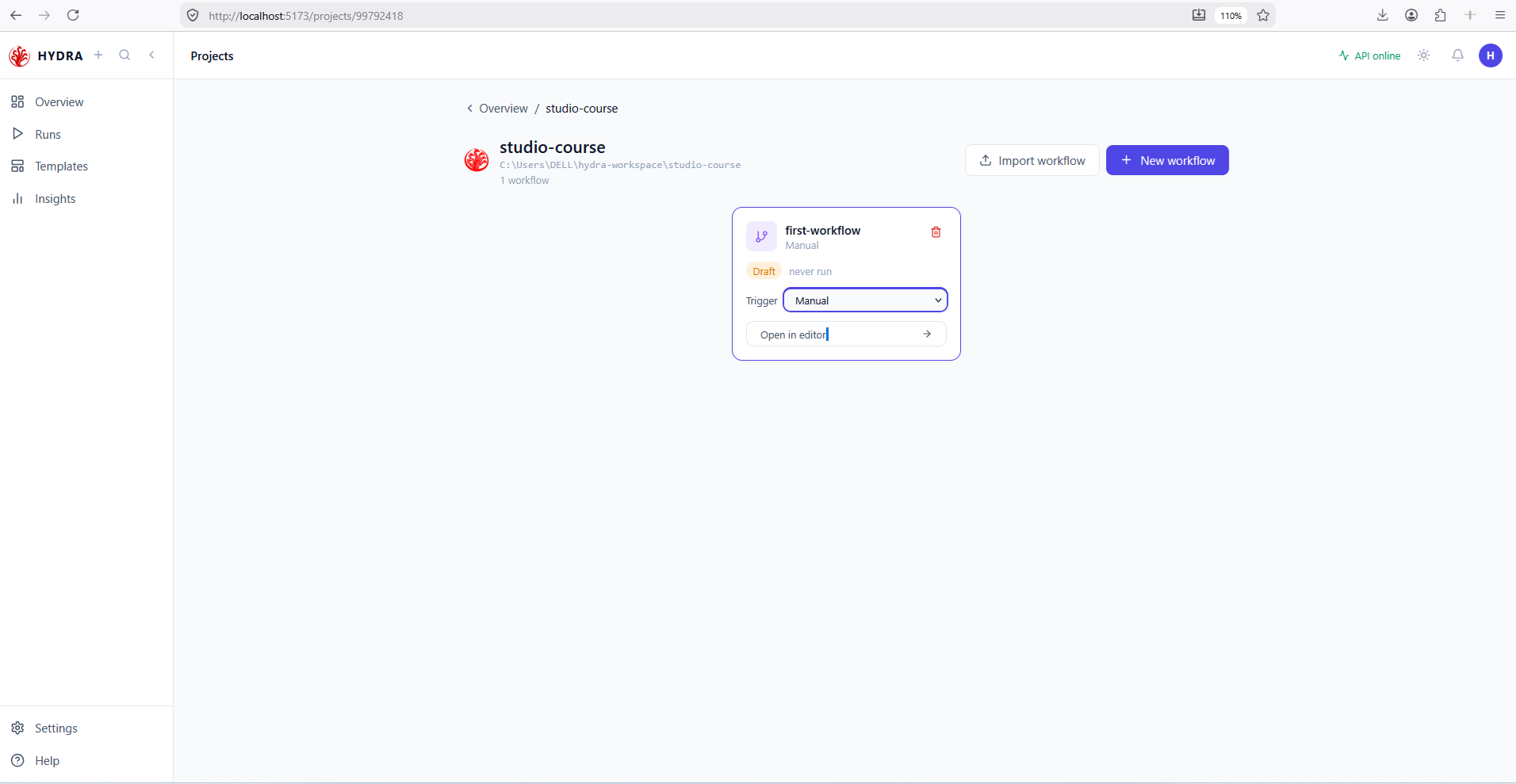
- Read the workflow name and the trigger printed under it.
- Read the Draft badge and the run history beside it.
- Open the Trigger selector on the card to confirm the mode can still be changed.
studio-course → first-workflow
The count moves to 1 workflow. Draft describes the file — it has no nodes yet — while never run describes its history. Neither means the workflow is invalid.
1 workflow
first-workflow
Manual
Draft   never run
Open in editor
trigger.type in the file — no need to reopen the editor.07Open the workflow in the editor
Objective
Reach the canvas where the following lessons will place nodes.
Actions
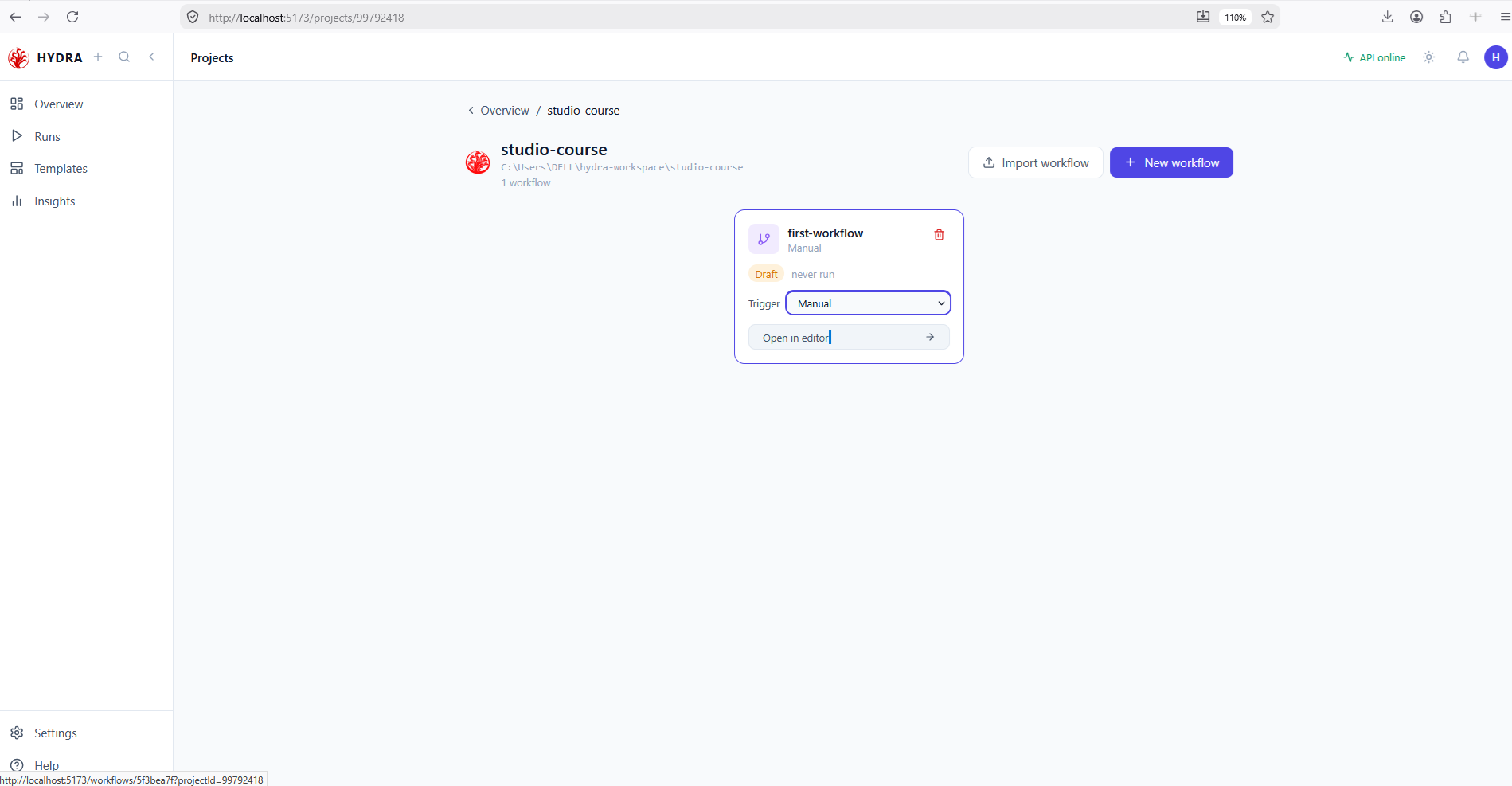
- Select Open in editor on the card.
- Read the node and edge counters beside the workflow name.
- Look at the Node palette and the two configuration tabs.
first-workflow → Open in editor
An empty canvas, and a palette whose Jobs group is empty because no job exists yet. The URL carries both the workflow and the project it belongs to.
first-workflow   0 nodes · 0 edges
Jobs configuration   Workflow configuration
NODE PALETTE
Actions (9)   Control Flow (2)   Containers (3)   Jobs (0)
projectId: a workflow is always opened in the context of its project.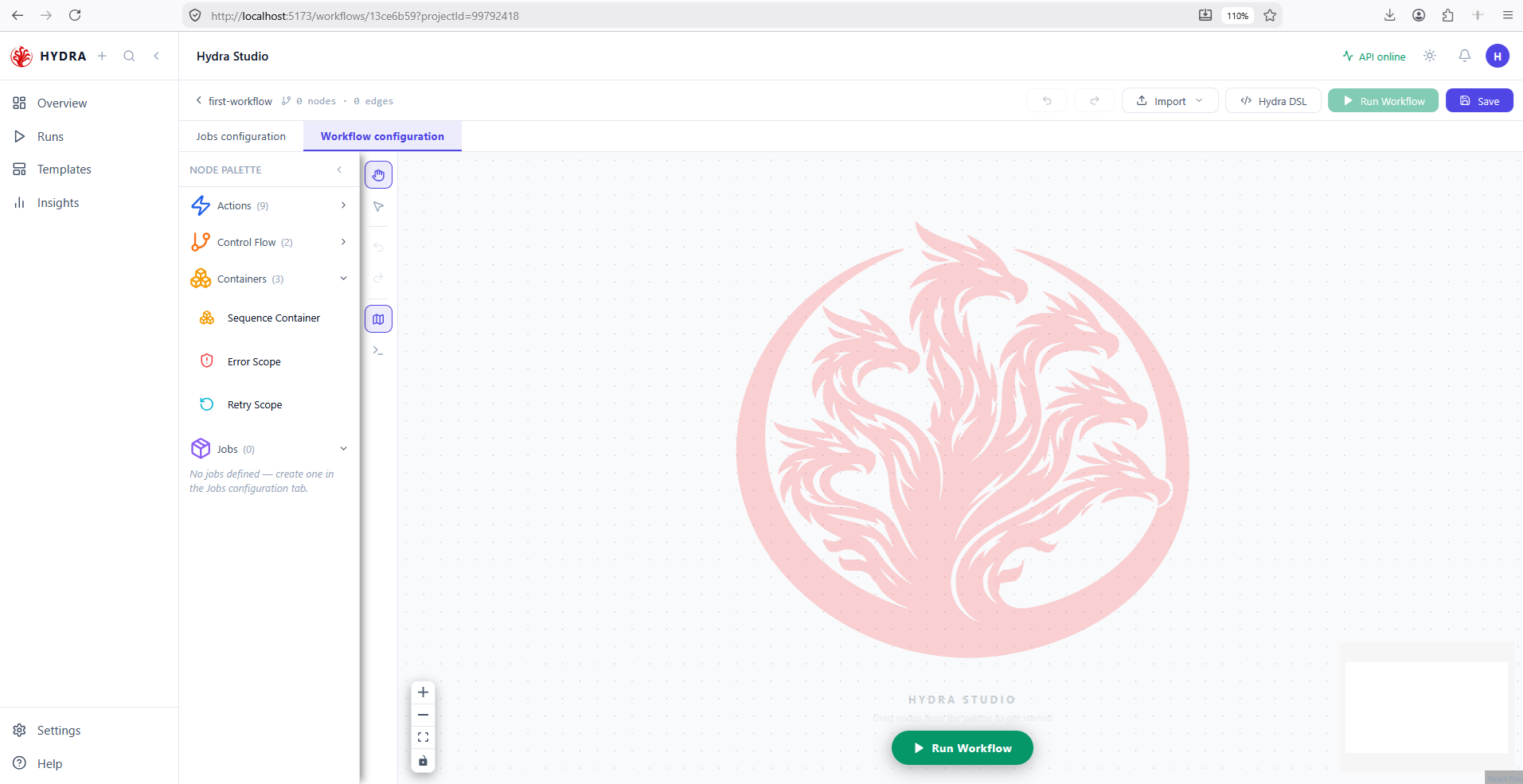
Tips and traps
Sources and transformations live in Jobs configuration. Jobs and actions live in Workflow configuration.
A container never runs. Five nodes on screen can mean four steps in the YAML.
An edge leaves a right handle and enters a left handle. Direction is never ambiguous.
The Valid badge means the manifest parses. Only a run proves the job works.
A policy reaches only what sits inside the container. A node beside it gets nothing.
Studio can be ahead of the disk. Open the file to be sure.
Counts and durations are live values. Never quote them as thresholds.
An animation is not an outcome. Wait for a terminal state on the Runs page.
3. Checklist
| Verification | Expected result |
|---|---|
| Project list | Contains studio-course |
| Project detail | Shows its disk path |
| Workflow count | Reads 1 workflow |
| Workflow card | first-workflow, trigger Manual, badge Draft |
| Editor | Opens on 0 nodes · 0 edges |
| Overview statistics | Read as live workspace values, not constants |
4. Troubleshooting
| Symptom | Cause | Fix |
|---|---|---|
| Create button stays disabled | The required name is empty | Enter a non-blank project or workflow name |
| Project path is unexpected | No parent directory was selected | Use Browse when a specific parent is required |
| Opening an arbitrary folder fails | Open a project requires Hydra structure | Create the project in Studio or open a folder already containing jobs/workflows |
| New workflow does nothing | The API is unreachable, so nothing can be written to disk | Check the top-bar indicator reads API online, and see the next lesson |
| The palette shows Jobs (0) | No job exists in the project yet | Expected at this point — jobs arrive in lesson 5 |
5. Next lesson
The workspace exists, holds a workflow and opens on a canvas. Before designing anything on it, the next lesson verifies the top-bar connection indicator and the backend health route that supplies every value you have just read.